
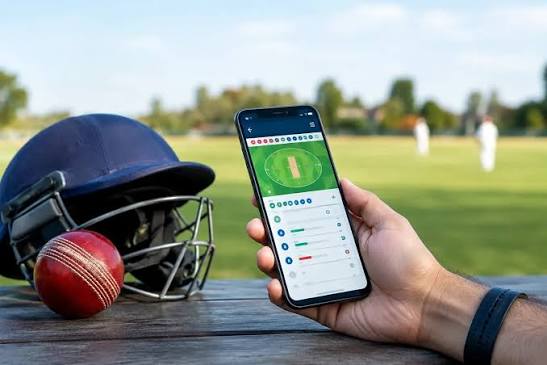

A cricket match can last for hours, but the phone setup around it is often decided in seconds. The stream opens, score alerts start arriving, a group chat becomes active, and several browser tabs remain from earlier searches. By the middle overs, the device is doing more work than the viewer needs. A better setup takes only a few minutes before play begins. The idea is not to turn the phone into a dedicated sports terminal. It is to decide which information deserves attention, which alerts can wait, and which apps should stay closed until they are actually needed. That small preparation can make the match easier to follow and reduce the urge to keep checking the screen between every delivery.
Choose one live score source before the toss
Two score apps rarely add twice the value. More often, they send the same wicket alert at slightly different times and make a delayed stream easier to spoil. Pick one score source and let it handle the basic match state. If this website is kept open in another tab for live cricket markets, treat it as a separate activity rather than another score notification. That separation helps the viewer know why each tab is open. The scorecard answers what happened. The stream shows the action. A market page, where legal and used by adults, belongs in its own category and should never become the main source for match facts.
The same rule works for social feeds. A match hashtag may be entertaining, but it is a poor substitute for a scorecard when hundreds of reactions arrive at once. Keeping one reliable source for the factual state of play makes everything else easier to interpret. Commentary, memes, predictions, and group messages can then remain what they are: additions to the match rather than competing versions of it.
Turn off alerts that have nothing to do with cricket
A long match creates plenty of natural gaps, and phones are very good at filling them. Shopping alerts, email previews, news notifications, delivery updates, and social messages can pull attention away for longer than expected. Before play starts, use a focus mode or notification setting to mute anything that can wait. Calls from chosen contacts can remain available while the rest stay hidden until the innings break. This is especially useful on a phone that is also streaming video, because every extra alert adds another reason to touch the screen and another chance to leave the match behind.
Battery behavior improves when unnecessary background activity is reduced as well. There is no need to close every service aggressively, but apps that are syncing large files or using location data without a match-day purpose can be paused. Screen brightness can also be lowered indoors. These are small adjustments, yet over several hours they can make the difference between finishing the game comfortably and hunting for a charger during the final overs.
Prepare for a weak connection before the match gets close
Mobile viewing becomes frustrating when a connection drops at the exact moment the chase tightens. A viewer cannot control the network, but a few choices help. If Wi-Fi is unstable, check whether mobile data is available as a backup. If the stream offers quality settings, a slightly lower resolution may be more reliable than forcing the highest option on a crowded network. Keep the scorecard available because text updates use far less data than video. When the connection returns, resist opening every app at once. Let the score load first, then restore the stream.
A practical pre-match phone check
- Charge the phone and keep a cable nearby.
- Choose one score source and mute duplicate alerts.
- Pause large downloads and cloud backups.
- Set a focus mode for unrelated notifications.
- Check Wi-Fi and mobile-data availability.
- Set any adult betting budget before the match begins.
Live betting needs its own boundary
Cricket gives viewers many pauses to reconsider a decision, but live betting can make those pauses feel short. Adults who choose to wager where it is permitted should set a fixed amount before play and leave it unchanged through wins, losses, rain delays, and close finishes. Money for rent, groceries, medicine, transportation, debt payments, or family needs should never be included. Turning off promotional notifications can also help keep the match from becoming a sequence of prompts. If the activity starts to feel urgent or difficult to stop, closing the betting tab is a better move than trying to recover the session.
A good setup disappears once the first ball is bowled
The best match-day phone setup is the one that stops demanding attention. The score is easy to find, the stream is stable enough, unrelated alerts stay quiet, and the battery is not being drained by work the viewer never asked for. Nothing about this requires a complicated collection of apps. In fact, fewer active services usually make the experience easier. Cricket already supplies the uncertainty, pauses, and sudden changes that hold attention. The phone should support that experience rather than create a second contest for the viewer’s focus. Five minutes of preparation before the toss can save far more time during the rest of the match.