
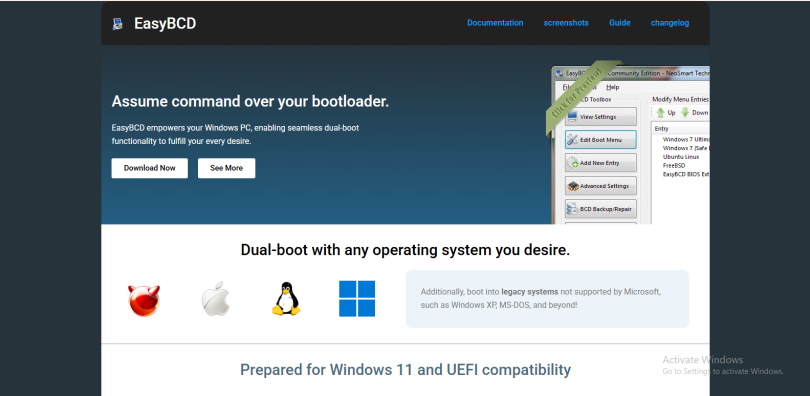

Boot problems are among the most frustrating issues a computer user can face. When a system fails to start properly, it can feel like the entire machine has become unusable. In such situations, tools designed to repair or manage boot configurations become extremely valuable. One of the well-known utilities in this category is EasyBCD. The question many users ask is whether EasyBCD can actually remove boot issues or if it is just another configuration tool with limited usefulness. The answer lies in understanding what boot issues are, how EasyBCD works, and what kinds of problems it can realistically solve.
Understanding Boot Issues
Boot issues occur when a computer is unable to load the operating system correctly. This failure can happen for several reasons, such as corrupted boot records, missing system files, incorrect boot order, or conflicts between multiple operating systems installed on the same machine. In dual-boot or multi-boot environments, these issues are even more common because each operating system may modify the bootloader differently.
Sometimes the system may show errors like “Bootmgr is missing,” “Operating system not found,” or it may simply restart repeatedly without loading Windows or any other OS. In other cases, the boot menu may not appear at all, or the wrong operating system may load by default. These problems are usually linked to the Boot Configuration Data (BCD), which is a critical part of the Windows boot process.
What EasyBCD Actually Does
EasyBCD is a boot configuration management tool developed to simplify the process of editing and repairing the Windows bootloader. Instead of using complex command-line tools like BCDEdit, EasyBCD provides a graphical interface that allows users to manage boot entries easily.
With EasyBCD, users can add or remove operating systems from the boot menu, repair the bootloader, change the default operating system, and adjust boot settings. It supports multiple operating systems including different versions of Windows, Linux distributions, and even macOS in some configurations.
However, it is important to understand that EasyBCD does not directly repair hardware issues or fix deeply corrupted system files. Instead, it focuses specifically on boot configuration data and how the system decides which operating system to load.
How EasyBCD Helps Fix Boot Problems
EasyBCD can be very effective when boot issues are caused by incorrect or damaged boot configuration settings. For example, if a new operating system installation overwrites the bootloader and removes previous entries, EasyBCD can restore those entries manually. This makes it possible to regain access to lost operating systems without reinstalling them.
In dual-boot scenarios, EasyBCD is especially useful. If Windows is installed alongside Linux but the Linux entry disappears after an update, EasyBCD can recreate the entry so that both systems appear in the boot menu again. Similarly, if Windows is not showing in the boot menu after installing another OS, EasyBCD can often restore it.
Another common use case is correcting boot order problems. If the system keeps booting into the wrong OS by default, EasyBCD allows users to change the default selection and set time delays for the boot menu. These adjustments can resolve issues that seem like errors but are actually just misconfigurations.
Limitations of EasyBCD in Boot Repair
While EasyBCD is powerful, it is not a universal solution for all boot problems. If the system’s master boot record (MBR) is severely damaged or the EFI system partition is corrupted, EasyBCD alone may not be enough to fix the issue. In such cases, additional recovery tools or Windows repair options are required.
Similarly, if system files within Windows are missing or corrupted, the operating system may still fail to load even after the boot menu is repaired. EasyBCD cannot replace missing Windows system files or fix disk errors. It is also not designed to resolve hardware-related issues such as failing hard drives or corrupted SSD sectors.
Another limitation is that EasyBCD works best when the operating system is still accessible or when a recovery environment is available. If the computer cannot boot at all, users may need to use a USB recovery drive or Windows installation media before EasyBCD becomes useful.
When EasyBCD Is Most Effective
EasyBCD performs best in scenarios where the boot problem is related to configuration rather than physical damage or severe corruption. It is particularly useful for users who frequently switch between operating systems or experiment with different boot setups.
For example, someone running Windows and Linux on the same machine may use EasyBCD to manage both systems without needing to manually edit bootloader files. It is also helpful after system upgrades, where boot entries may be reset or removed.
In cases where users accidentally delete boot entries or misconfigure the boot menu, EasyBCD can quickly restore functionality without requiring a full reinstall of the operating system. This makes it a time-saving solution for many common boot-related issues.
User Experience and Accessibility
One of the key advantages of EasyBCD is its user-friendly interface. Traditional boot repair methods often require command-line knowledge, which can be intimidating for average users. EasyBCD simplifies this process by offering clear menus and options that make boot configuration accessible to non-technical users.
This ease of use is one of the reasons why it is popular among beginners who want to experiment with dual-boot systems without risking permanent damage. However, users should still proceed carefully, as incorrect changes to boot settings can still prevent the system from starting properly.
Final Thoughts
EasyBCD can indeed help remove or resolve many common boot issues, but it is not a complete repair tool for all system failures. Its strength lies in managing and repairing boot configuration data rather than fixing deep system corruption or hardware problems. When used in the right situations, it can quickly restore access to missing operating systems, fix boot menu errors, and simplify dual-boot management.
However, users should understand its limitations and not rely on it as a universal repair solution. In more severe cases, it should be used alongside other recovery tools. Overall, EasyBCD is a powerful and practical utility for managing boot issues, especially for users who need a simple and effective way to control multi-boot environments.